
Reboot Restore Enterprise
Industry-Leading PC Protection with Unified Central Management.
Engineered for IT teams managing distributed fleets of 10 to 10,000+ shared-use PCs. Protect, monitor, and maintain workstations across school districts, libraries, and enterprise locations—all from a single unified dashboard.
Up to 50%
Reduction in Repetitive IT Tickets
10 – 10,000+
Endpoints Managed Centrally
Zero Re-Imaging
Clean Baseline on Every Restart
14-Day Trial
Full Features & Live Support
Why Organizations Choose THE Enterprise EDITION
Key Benefits at Fleet Scale
Ensure total system integrity, a consistent user experience, and maximum IT efficiency across every campus, branch, or office.
Centralized Control at Scale
Manage thousands of PCs from one console without on-site visits. Push updates, configure policies, and monitor status across locations in clicks.
Eliminate Network Downtime
Every reboot restores systems to a clean, functional state—eliminating reimaging delays, troubleshooting queues, and lost instructional time.
Cut IT Workload by Up to 50%
Say goodbye to repetitive desk-side fixes. Automated system restoration and remote maintenance free your IT staff for strategic initiatives.
Protect Integrity & Security
Prevent unauthorized software, configuration drift, and malware persistence. Every workstation stays secure, compliant, and identical session after session.
Core Enterprise Features
Everything IT administrators need to automate baseline updates, deploy software remotely, and lock down public endpoints without complex Group Policies.
Centralized Management Console
Manage all protected PCs remotely from our on-premise console or deploy it inside your private cloud infrastructure for cross-campus visibility.
Automated Windows Updates
Schedule seamless updates to your protected baseline via the central console or automated maintenance windows—then re-lock automatically.
Remote Software Deployment
Push software installers, MSI packages, and custom scripts to groups of endpoints while automatically committing changes to the protected baseline.
Seamless Antivirus Integration
Maintain up-to-date malware definitions with native support for Windows Defender and full compatibility with third-party AV update processes.
Integrated Kiosk Mode
Instantly restrict access to Windows system settings, Control Panel, and UI elements without configuring complex Group Policy Objects.
Live Monitoring & Health Reports
Gain real-time visibility into endpoint protection status, system uptime, disk health, and client version compliance across your entire network.
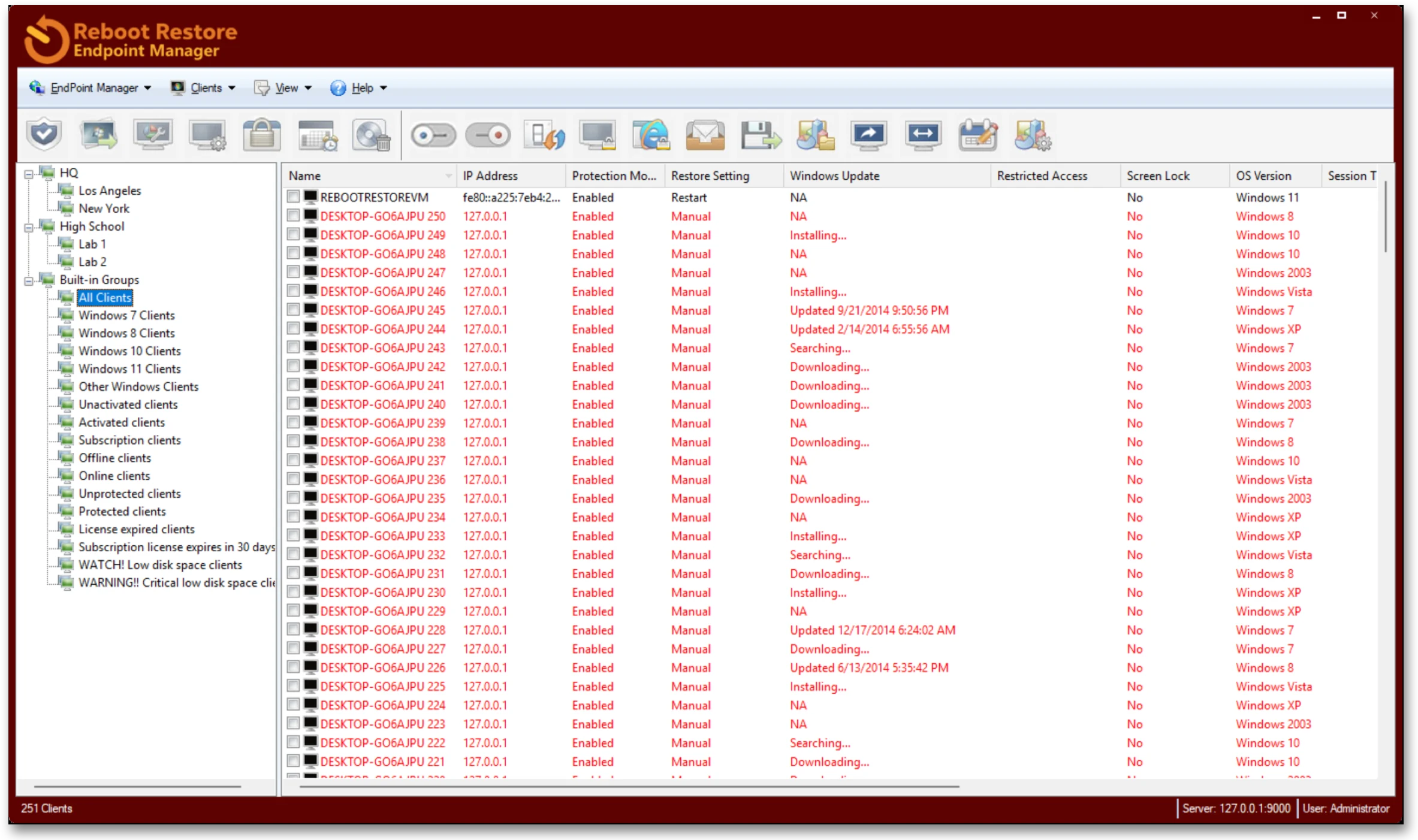
The EndPoint Manager
Oversee your entire fleet from one unified interface. Organize workstations into logical groups by building, lab, or branch to push global policy updates, execute remote commands, and automate baseline maintenance without manual desk visits.
- Centralized Client Updates: Push global setting changes and security policies to thousands of machines simultaneously.
- On-Demand Remote Commands: Execute instant restarts, Wake-on-LAN, shutdowns, and baseline resets across any group.
- Advanced MSI & Script Deployment: Remotely deploy packages and custom scripts from a single pane of glass.
Standard vs. Enterprise
Need to protect more than a handful of standalone PCs? See why IT teams choose Enterprise for multi-machine deployments.
|
Edition Capabilities |
||
|---|---|---|
Reboot Restore Standard |
Reboot Restore ENTERPRISE |
|
|
Recommended Fleet Size |
1 – 10 Standalone PCs |
10 to 10,000+ Networked PCs |
|
Centralized EndPoint Manager Console |
Not Included (Local Only) |
Included |
|
Automated Windows & AV Update Windows |
Manual Baseline Unlock |
Scheduled & Centrally Managed |
|
Remote MSI & Custom Script Deployment |
— |
Included |
Get started today
Test Reboot Restore Enterprise in your own environment, book a time to connect with our team, or review our volume pricing for your organization.