
Endpoint resilience software for remote and hybrid work recovery

A remote PC can be protected from threats yet still be difficult to restore when something goes wrong. Endpoint resilience software helps IT teams return devices to a trusted, usable state after system issues or attacks, complementing tools that detect and contain threats. The goal is to reduce disruption without relying on every device being in the office.
For IT admins in schools, libraries, and other shared environments, recovery is only part of the challenge. Devices move between locations, serve different users, and need consistent administration. This article explains how endpoint resilience supports recovery, ransomware preparedness, and remote and hybrid work, and how it differs from endpoint protection. You’ll also learn which capabilities matter when evaluating software, how centralized administration can simplify routine work, and where system rollback tools fit into a recovery plan.
Key Takeaways
- Plan endpoint recovery alongside threat detection so devices can return to a trusted, usable state after disruption.
- Assess how centralized administration can help IT teams maintain consistent endpoint controls and investigate issues across managed devices.
- For remote and hybrid work, account for devices that operate beyond the office network rather than relying only on perimeter controls.
- Build ransomware preparedness around both threat containment and a practical recovery path for affected endpoints.
- Compare resilience tools by how they support recovery, administration, and endpoint visibility within your environment.
Endpoint recovery after IT issues or cyberattacks
A damaged Windows device can interrupt a library checkout desk, classroom, or shared work area. Endpoint resilience software helps return affected computers to a known working state. It complements security tools that identify threats, but doesn’t replace investigation, data protection, or an incident response plan. The practical goal for IT admins is to restore system integrity while limiting disruption to users and critical services.
Start recovery by identifying the affected device and the change that preceded the issue. A failed update, incompatible application, or malicious process calls for different investigative steps. Isolate a suspected compromised endpoint from the network when appropriate, preserve relevant evidence, and determine whether its operating system and applications can be restored safely. Recovery is most useful when the chosen recovery point is trustworthy and the process preserves information needed for incident analysis.
Which endpoint resilience software platforms are best for businesses? The best fit depends on an organization’s devices, recovery needs, administrative workflow, and security environment. Compare platforms by how they restore a system, support centralized administration, and fit alongside existing protection and backup tools.
How does endpoint resilience software compare with endpoint management and EDR tools? Endpoint management handles device configuration and administration, while endpoint detection and response (EDR) tools focus on identifying and investigating suspicious activity. Resilience capabilities focus on restoring endpoint function after disruption. These tools address related but distinct needs, which is why businesses frequently rely on managed technology providers such as IT Works to integrate ongoing device administration with specialized security and recovery tools.
What security and compliance requirements apply to endpoint resilience software in the US? Requirements depend on an organization’s sector, the data it handles, and applicable state, contractual, and organizational obligations. Map those obligations to access controls, retention, recovery procedures, and incident records before selecting a platform.
Cybersecurity investment is difficult to assess if recovery outcomes aren’t measured. Track practical indicators such as whether a device returns to service, whether critical applications work afterward, and whether administrators can document the recovery. A Forrester survey reported that 38 percent of security respondents could measure the effectiveness of their security spending. For an enterprise, connecting platform capabilities to defined recovery outcomes makes investment reviews more useful.
Data protection and endpoint recovery serve different purposes. A cyber vault protects isolated copies of important data, while endpoint recovery returns a device’s system environment to a usable state. During a cyber incident, assign coordination roles, record affected devices, and align recovery decisions with investigation findings. Evaluate software based on deployment scope, device needs, and capabilities, and compare product pricing through a quote request.
Deployment, administration, and agent performance
Deployment starts with identifying which devices the organization needs to protect and how they’re used. A library may have public Windows PCs, staff workstations, and back-office servers, each with different access and recovery needs. Map these groups before rollout to give IT admins a clear view of each system’s role, affected users, and administration needs.
Centralized administration can give administrators one place to monitor, protect, and investigate vulnerabilities across computers, mobile devices, servers, and connected devices. In a school, for example, an admin can use a shared console to review endpoint status rather than handling every classroom PC separately. Central visibility can also help identify where remediation is needed, though the team still needs a process for prioritizing and completing that work.
What are the risks and limitations of endpoint resilience software? It can’t replace threat detection, secure backups, or incident response. A restore point that predates useful changes can remove those changes, while restoring an infected system without investigation may leave the underlying issue unresolved.
Plan deployment around representative devices rather than assuming every endpoint behaves alike. Start with a test group that includes common hardware, Windows configurations, and frequently used applications. Confirm routine tasks still work, then expand to other device groups. For a shared computer, test a typical user session and the reset or recovery process before a broader rollout. Document exceptions so administrators know which systems need a different approach.
Evaluate agent performance separately. A background component that consumes resources or interrupts a device’s normal workflow can cause friction in a classroom or public-access area. During a pilot, IT staff can observe startup, application responsiveness, network activity, and the effect of routine administrative tasks. Record findings across representative devices, then adjust deployment groups or policies if results reveal practical issues.
Useful administration depends on actionable information, not just a dashboard of status indicators. Decide what administrators and IT leaders need to know: which devices are protected, which need attention, and whether remediation is complete. A school might group endpoints by location or role, then review exceptions before a scheduled maintenance window. Consistent categories make information easier to interpret and help teams coordinate work.
For a closer look at how centralized endpoint administration can support shared Windows environments, consider how your deployment groups, monitoring needs, and recovery workflow fit together. A clear pilot plan gives IT admins a practical way to assess operational impact before expanding coverage.
Endpoint resilience for remote and hybrid work
A Windows laptop at home doesn’t sit behind the same network perimeter as a library workstation. Remote endpoints connect through changing networks, and some may remain offline during normal work. Endpoint resilience software should fit a plan that accounts for device location, connectivity, security monitoring, and recovery. A perimeter firewall alone can’t provide every control a traveling or home-based device needs.
Cloud-native endpoint protection can protect devices remotely, even when they aren’t connected to the organization’s network or the internet. This extends threat detection beyond office boundaries, but recovery planning still needs to account for how an endpoint communicates with its management platform. An IT team can identify which recovery actions require a connection and how staff should handle a temporarily offline laptop.
A trusted, secure connection to each remote device can help IT and security teams check whether critical controls are installed, working as intended, and up to date. This matters because disconnected endpoints can miss updates or lose visibility. Administrators can review reported status through a console and prioritize devices with outdated controls before they return to sensitive work.
Remote response also needs clear decision points. If a security tool detects suspicious activity on a staff laptop, responders may need to isolate it, investigate the alert, and decide whether to restore its working state. The process should distinguish a routine configuration problem from suspected attack activity. That distinction helps teams avoid treating every disruption as a security incident.
For hybrid organizations, define how endpoint operations continue across office and remote settings. A staff member might bring a laptop back to campus after working from home, while a school employee may need a device restored before a scheduled class. Document who reports the problem, who approves isolation or recovery, and how users receive status updates. Dedicated incident communication and monitoring platforms like statuspulse.ai can help maintain transparency across the organization while technical teams work on recovery. These steps connect technical response with daily service needs.
Recovery readiness depends on more than an internet connection. IT teams should understand what state the recovery process can restore, which user changes may be affected, and how administrators confirm the device is ready afterward. Testing a representative remote laptop can reveal gaps in connectivity, communication, or user guidance before an outage creates pressure.
Remote access also changes what a console needs to show. Administrators benefit from distinguishing devices that are offline from those that have stopped reporting unexpectedly, since each situation calls for different follow-up. A defined review process can flag missing status, route the issue to the right team, and record the response. This gives IT a clearer view of endpoint readiness than office network checks alone.
Ransomware preparedness and endpoint recovery
Ransomware can disrupt a Windows PC by encrypting files, blocking applications, or changing system settings. In a school, a classroom computer may become unusable; in a library, public access can be interrupted. Preparedness means planning for both threat containment and recovery, rather than treating a restored desktop as proof that an incident is resolved.
Build the plan around distinct security capabilities. Endpoint protection software examines files, processes, and system activity for suspicious or malicious indicators. Antivirus is one component: it scans for and removes known viruses and malware using virus signatures. These controls can help detect threats, but detection alone doesn’t restore a device or establish whether affected files are safe to use.
During a suspected ransomware incident, follow a defined response sequence. First, identify the affected device and limit its network access when appropriate. Then preserve relevant security information and determine which users, applications, and shared resources may be affected. Endpoint protection response capabilities can contain infected systems while an investigation is underway. Coordination helps prevent reconnecting a device before responders understand the scope.
Choose a recovery point based on the incident timeline, not convenience. Consider when suspicious activity began, whether the selected system state predates it, and which user changes might be lost. A restore can return Windows and applications to a usable condition, but it doesn’t prove that malware has been removed from every affected location. Treat file recovery and system recovery as related but separate decisions.
After restoring a device, validate it before returning it to shared use. Confirm that Windows starts normally, required applications open, and essential settings behave as expected. Review security alerts and the incident record, then make sure the endpoint’s protection controls are active. For a public library PC, test the usual user workflow before reopening access; for a school device, verify the applications needed for class.
Preparation is stronger when administrators exercise the process before an actual attack. Use a representative Windows endpoint to walk through reporting, containment, investigation, recovery approval, and validation. Record who makes each decision and where recovery status is documented. Continuous raw event recording can support visibility across networked endpoints through a centralized console, helping responders examine activity during an investigation. Pair that visibility with a recovery plan: logs explain events, while recovery restores operations.
Finally, define what “ready for use” means for each device group. A library kiosk, classroom workstation, and staff laptop may depend on different applications and settings. Document those requirements, who is responsible for releasing the device, and how users report recurring symptoms. This gives IT teams a consistent way to manage ransomware recovery without assuming every endpoint has the same role or needs the same restoration decision.
What features should endpoint resilience software include?
For a Windows environment, prioritize features that connect recovery, visibility, and administration. A shared library computer, for example, needs a dependable way to return to an approved working state, while IT staff need enough information to understand what happened. No single capability replaces threat prevention, data protection, or incident response. Choose a platform that fits the recovery process your organization can operate.
Start with a clear recovery mechanism. Administrators should understand what system state can be restored, how they select that state, and which changes may be affected. A restore point is useful only if it matches the intended outcome. For a school workstation, the team might define a known-good state with required applications and settings, then test restoration before relying on it during an outage.
Next, consider security response capabilities. Endpoint protection can contain infected systems while an investigation is underway, helping limit further activity as responders assess the incident. Containment should fit the organization’s response plan, including how staff identify the affected device and who authorizes its return to use. A platform should complement, not replace, the tools used to detect threats and investigate their source.
Visibility matters during routine operations and incident review. Continuous raw event recording can help teams see activity across networked endpoints through a centralized console. For example, an administrator investigating a classroom PC can use recorded events to establish what happened before an issue was reported. Useful visibility depends on records being accessible and understandable to the people responsible for reviewing them.
Administrative controls should make it practical to manage device groups and review their status. Consider how the platform supports different endpoint roles, such as public-access PCs, staff devices, and shared classroom systems. Clear grouping helps administrators apply the right recovery approach without treating every Windows computer as identical. A pilot across representative devices can show whether the console and recovery workflow fit daily IT operations.
Evaluate performance in the environment where the software will run. During a controlled test, observe startup, routine application use, and the administrative steps required to restore a device. Record any conflicts with existing security controls or standard workflows. These observations help teams assess operational fit without assuming that feature lists alone predict the experience on every endpoint.
Before selection, write down the outcomes the platform must support: a defined recovery state, useful event visibility, containment coordination, and manageable endpoint groups. Then compare those needs against your existing protection and data recovery processes. If you’re ready to explore a recovery tool for Windows PCs, review endpoint recovery options for your environment.
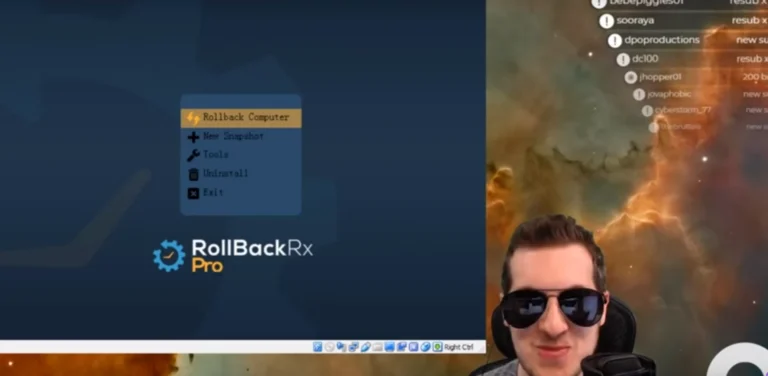
Horizon DataSys: RollBack Rx Professional
RollBack Rx Professional gives Windows IT admins an option to consider when endpoint recovery is part of their resilience plan. In libraries, schools, and other shared environments, recovery needs can differ between public PCs, classroom workstations, and staff devices. Match the product to each endpoint’s role and the recovery process your team has defined.
For environments that also need to consider server recovery, RollBack Rx Server Edition is another Horizon DataSys offering. These products are most relevant when the priority is endpoint or server recovery, rather than replacing threat detection, incident response, or data protection tools. A clear view of your devices and recovery requirements can guide the next step.
Visit horizondatasys.com to learn more about RollBack Rx Professional.
Make recovery planning part of routine IT work
Assign an owner for endpoint recovery before a disruption creates urgency. Agree on who can authorize a restore, how staff report problems, and what evidence administrators need to make a sound decision. A brief review with IT and the teams that rely on shared PCs can reveal unclear handoffs before they affect daily operations.
Treat endpoint resilience software as part of an ongoing operational plan, not a one-time deployment. Revisit recovery procedures when device roles, applications, or work patterns change. This keeps the plan aligned with how people use Windows PCs across classrooms, libraries, and hybrid work settings, while giving administrators a clear basis for future improvements.
Ready to discuss how endpoint recovery could fit your environment? Contact Horizon DataSys about endpoint resilience and consider the next step for your IT team.
Frequently Asked Questions
What does endpoint resilience software do?
Endpoint resilience software helps organizations restore Windows devices to a usable state after disruption. Unlike tools focused only on detecting suspicious activity, it supports continuity by restoring system conditions or applying a defined reset. For example, a shared PC can return to its approved configuration between sessions. The right recovery approach depends on the software and how the organization manages its devices.
How can it help protect devices from outages and cyberattacks?
Endpoint resilience supports protection by pairing recovery with security controls, rather than treating restoration as threat detection. Solutions can automatically return shared computers to a clean baseline after restart, while snapshot technologies allow rolling a system back to a prior state without full drive re-imaging. After an alert, administrators still need to investigate the cause and decide whether restoring the affected device is appropriate.
What does this software cost in the United States?
In the United States, costs depend on the selected product and licensing requirements, including whether the need is for Windows workstations or servers. Horizon DataSys provides product pricing after a quote request, so organizations can describe their environment and recovery needs. Compare options against the endpoint roles and recovery workflow you need to support, rather than relying on a generic market estimate.
How is it deployed and integrated with existing IT systems?
Deployment usually starts by identifying device groups, then testing on representative Windows PCs before a wider rollout. For integration, map how the recovery tool will coexist with endpoint protection, management policies, and incident procedures. An IT admin can document installation prerequisites, confirm normal application use after deployment, and record how administrators initiate or verify recovery. This creates a controlled rollout without assuming every system has identical requirements.
How do businesses measure resilience and software performance?
Measure endpoint resilience software by tracking repeat incidents, devices requiring full re-imaging, and the time between reporting an issue and restoring user access. Review these measures across device roles, such as public-access PCs and staff workstations. To assess performance, compare the experience before and after deployment, including application responsiveness and support requests. These trends can show where procedures or endpoint settings need refinement.