
RollBack Rx Professional
Go Back in Time and Restore Any Windows PC to a Working State in Seconds.
98% of PC downtime comes from micro-disasters like ransomware, failed Windows updates, corrupted drivers, and accidental deletions. RollBack Rx Pro operates at the disk sector level below Windows, capturing full system snapshots in 3 seconds without rebooting so you can undo any incident immediately.
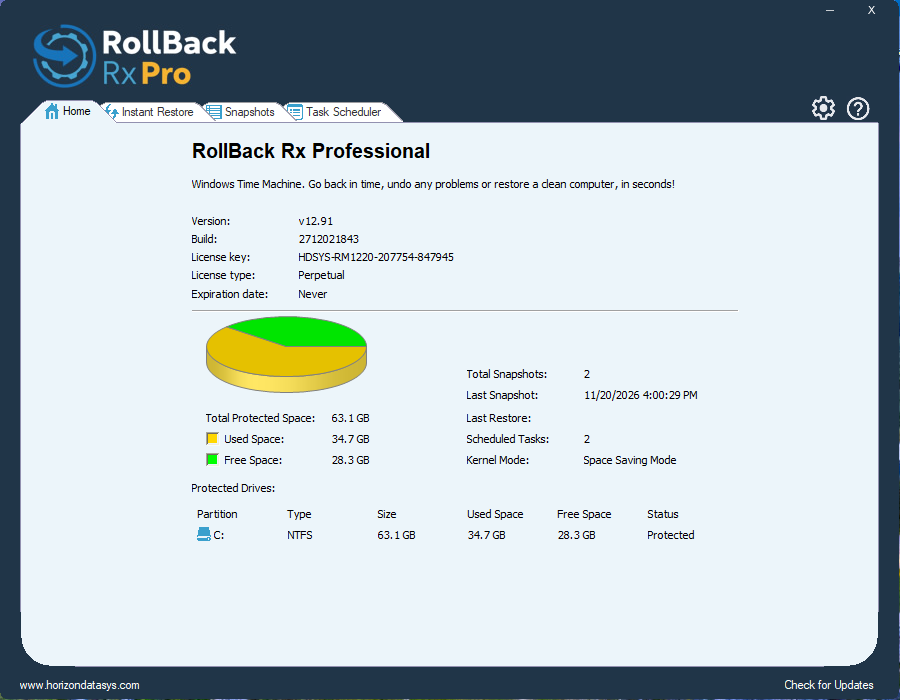
3 Seconds
Snapshot Creation With Zero Reboot
Up to 60,000
Restore Points per Workstation
Day-Zero Safe
Recover Files Even From Crashed States
Free Console
Central LAN & WAN
Why Sector-Level Rollback Wins
Four Layers of Recovery That Standard Tools Cannot Match
Traditional backup images take hours to restore and lose everything created since the last backup, while Windows System Restore fails whenever Windows cannot boot.
Complete Pre-OS System Restore
Operates below Windows at the hard drive sector level. Even if a Blue Screen of Death prevents Windows from starting, our mini-OS sub-console boots first so you can roll back immediately.
Continuous Micro-Disaster Backup
Silent background snapshots capture your exact drive state in 3 seconds with near-zero CPU impact, protecting you against daily ransomware, bad patches, and driver conflicts.
100% Bit-Level Malware & App Removal
Unlike piecemeal uninstallers or reactive antivirus cleaners that leave registry remnants behind, rolling back restores every sector bit-for-bit to before an app or virus ever touched the PC.
Day-Zero Crashed-State File Rescue
Crashed before taking a recent snapshot? Use our Recover Files tool from the pre-OS console to extract your newest documents from the broken system state before rolling back.
Built for Power Users, Test Labs &
Enterprise IT
Every feature IT administrators need to automate snapshots, secure sensitive laptop data, and deploy silently across hundreds or thousands of Windows PCs.
Roll Backward & Forward
Travel backward minutes, hours, days, or months to any locked or scheduled snapshot, or roll forward again to test multiple software states without losing your timeline.
Smart Event-Triggered Snapshots
Schedule automatic snapshots on a fixed clock or trigger them automatically whenever an installer runs so bad installs can always be undone.
256-Bit AES Snapshot Encryption
Protect sensitive corporate data on lost or stolen laptops with full 256-bit AES snapshot encryption, granular user/admin privilege controls, and snapshot locking.
Free Management Console
Included free with RollBack Rx Pro. Remotely trigger rollbacks, create snapshots, view operation logs, and manage endpoint groups over LAN, WAN, or the Internet.
Stealth Mode & Silent Deployment
Hide the system tray icon and pre-boot splash screen, customize the sub-console hotkey, and deploy pre-configured silent MSI packages across your fleet.
Multi-Boot, VM & Defrag Support
Works on bare-metal Windows 11/10 PCs, multi-boot workstations, and inside VMware/Hyper-V virtual machines, complete with a built-in snapshot defragmenter to reclaim free disk space.
Interactive Snapshot Timeline
Test RollBack Rx Pro’s Time Machine in Action
Whether you need to browse a past snapshot and drag out a single accidentally deleted file, or roll back an entire ransomware-encrypted workstation to minutes before infection, RollBack Rx Pro handles both without data loss.
Safe Software & Patch Sandboxing: Take a snapshot before testing beta software or Windows updates; if anything breaks, revert in seconds.
Keep Selected Files During Rollback: Choose specific folders or newly saved documents to preserve automatically when rolling back the OS.
RollBack Rx Pro vs. Other Recovery Approaches
See how sector-level multi-point rollback stacks up against built-in Windows System Restore, traditional disk imaging, and single-state reboot tools.
Get Started With RollBack Rx Pro
Test instant point-in-time recovery on your own Windows 11 or 10 workstation for 14 days, or request volume pricing for your organization.